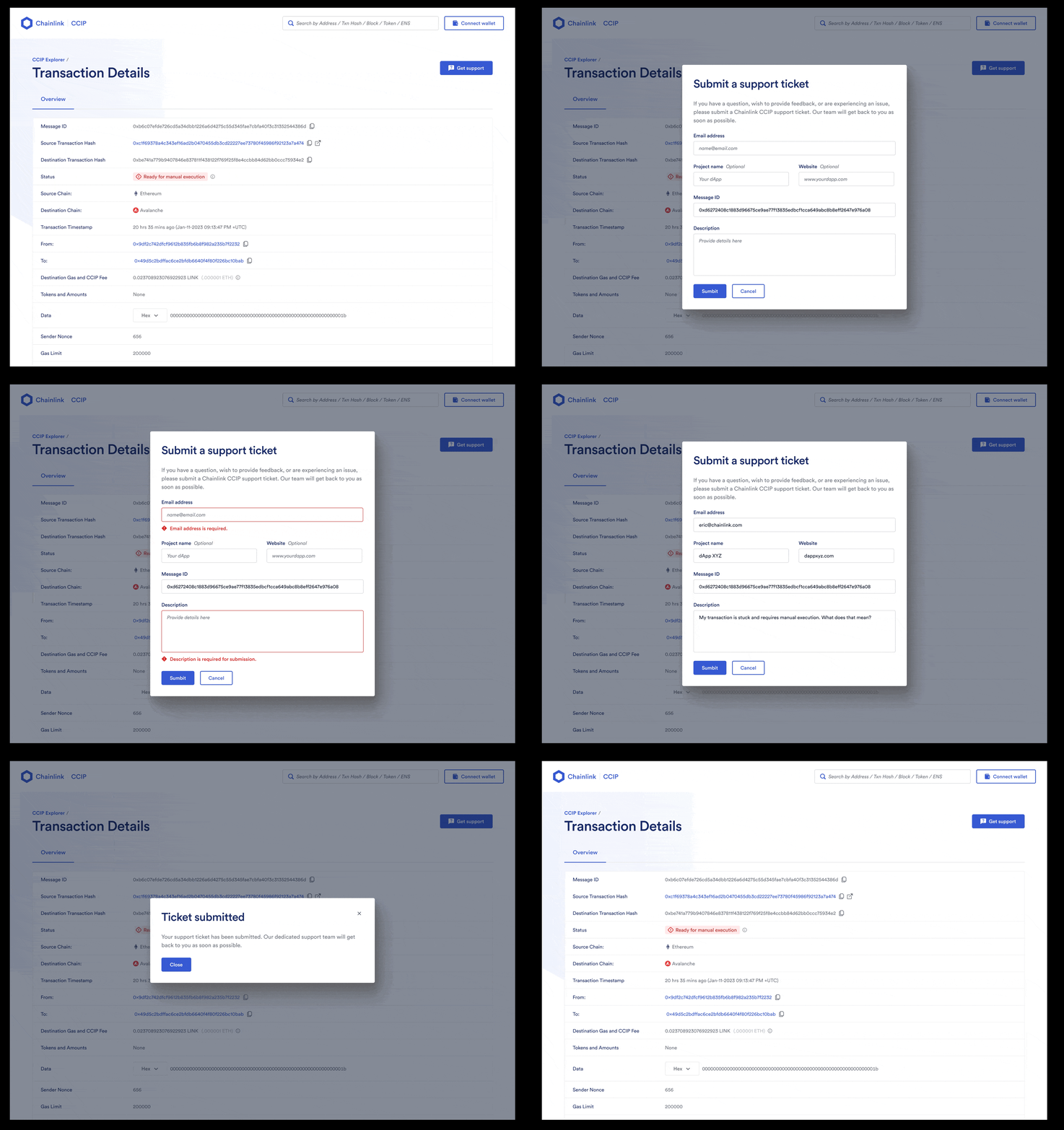
CCIP Manual Execution
Manual execution means that any account can execute a CCIP message on the destination chain. No special role or permission is required: the caller submits the encoded message and the required Cross-Chain Verifier (CCV) attestations to the destination OffRamp.
On CCIP's end, the default executor service automatically attempts to execute every message sent with the default executor.
The default executor applies to every message, unless:
- The sender chooses the no-execution option (
Client.NO_EXECUTION_ADDRESS), or, - Defines a custom executor at send time.
This page focuses on OffRamp.execute for EVM destination chains in CCIP v2. Other destination-chain families are documented separately when their execution path differs.
When Manual Execution Applies
A message can require manual execution from two different onchain states:
UNTOUCHED- the message has not run on the destination chain.FAILURE- execution ran and reverted inside the OffRamp's protected execution path.
This distinction changes the remedy. A message at UNTOUCHED has not run yet; it needs a first destination-chain submission. A message at FAILURE already ran and must be retried after the underlying issue is fixed.
| Cause | Onchain state | What happened |
|---|---|---|
| Sender selected no executor | UNTOUCHED | The sender used Client.NO_EXECUTION_ADDRESS, so no executor fee was paid. |
| Required CCV is not in the CCIP Indexer | UNTOUCHED | The executor cannot assemble a complete attestation set from the Indexer. |
| Executor retry window expired | UNTOUCHED | The default executor stopped retrying after its configured retry period without writing a destination result. |
| Destination execution ran and reverted | FAILURE | Receiver logic, receiver gas, token handling, or an invalid manual submission failed inside the OffRamp execution path. |
For the first three cases, no destination execution result has been recorded. The message remains executable once the required attestations are available. Only the last case records FAILURE and emits an ExecutionStateChanged event with error data.
Execution State
The OffRamp tracks each message ID with the MessageExecutionState enum.
| State | Value | Meaning |
|---|---|---|
UNTOUCHED | 0 | The message has not been executed. |
IN_PROGRESS | 1 | Execution is currently running. |
SUCCESS | 2 | Execution completed. The message cannot be replayed. |
FAILURE | 3 | Execution reverted. The message can be retried. |
Start by reading OffRamp.getExecutionState(messageId). A SUCCESS message is final. A FAILURE message can be retried. If the retry also fails, the message remains in FAILURE and can be retried again once the underlying issue is fixed.
API and CLI Signals
The CCIP API exposes the execution and verifier fields that usually explain why a message has not executed. For a given message ID, GET /v2/messages/{messageId} returns fields such as:
status- the overall message status.executor.status- the executor service view.verifiers- one entry per CCV, includingisRequired,status, andverification.data.readyForManualExecution- a convenience field that can befalseeven when a message is recoverable by direct execution.
Use verifiers and executor.status as the main diagnostic signals. A verifier entry with isRequired: null and status: UNKNOWN usually points to a verifier that the Indexer does not carry.
You can also inspect a message with the CLI. The positional argument accepts either a source transaction hash or a CCIP message ID; pass whichever you have.
By message ID (needs only a destination RPC, since the CCIP API resolves the message):
ccip-cli show 0xMessageId \
  --rpcs https://destination-rpc.example \
  --json
By source transaction hash (needs both the source and destination RPCs so the CLI can find the transaction and decode the message ID from its logs):
ccip-cli show 0xSourceTxHash \
  --rpc https://source-rpc.example \
  --rpc https://destination-rpc.example \
  --json
When the input is a 32-byte hex string, the CLI races both resolution paths concurrently and uses whichever resolves first, so you do not have to declare which form you are passing. The command returns API status, verifier data, and destination-chain receipt state in one view. See the show command reference for details.
Executing a Message
The EVM destination entry point is OffRamp.execute:
function execute(
  bytes calldata encodedMessage,
  address[] calldata ccvs,
  bytes[] calldata verifierResults,
  uint32 gasLimitOverride
) external
| Parameter | Description |
|---|---|
encodedMessage | The serialized CCIP v2 message. The message ID is keccak256(encodedMessage). |
ccvs | CCV resolver addresses that correspond to the submitted verifier results. Use getCCVsForMessage(encodedMessage) to inspect the required set before submitting. |
verifierResults | CCV-specific proof bytes, one entry per CCV. The array length must match ccvs. For the Committee Verifier, this is the packed quorum signature result. Additional CCVs define their own proof format. |
gasLimitOverride | 0 uses the message's original receiver callback gas limit. A non-zero value must be greater than or equal to the message's ccipReceiveGasLimit. The override applies only to the receiver callback, not to token handling or the outer transaction gas limit. |
Before submitting, confirm that keccak256(encodedMessage) equals the message ID you intend to execute.
Fetch Execution Inputs
To call execute, you need the encoded message and one verifier result for each required CCV. The fetch path depends on whether the required CCVs are available through the CCIP Indexer.
CCV Data Available Through the CCIP API
For CCVs available through the CCIP Indexer, use the CCIP API execution-inputs endpoint:
GET https://api.ccip.chain.link/v2/messages/{messageId}/execution-inputs
The ExecutionInputsV2 response includes:
encodedMessage- the message bytes to pass toexecute.verifierAddresses- the CCV resolver addresses.ccvData- the verifier results to pass asverifierResults.verificationComplete- whether the Indexer has collected all verifier data it knows about.
verificationComplete is an Indexer signal, not an onchain readiness guarantee. If a required verifier is outside the Indexer, this field can remain false even after the message is executable with externally fetched verifier data.
The CCIP SDK and CCIP CLI use this endpoint when executing by message ID.
CCV Data Outside the Indexer
If a required CCV is not onboarded in the Indexer, the execution-inputs endpoint returns only the verifier data it can see. Fetch the missing attestation from that CCV's provider, then pass it in the matching verifierResults entry.
Some verifier implementations expose getStorageLocations() as a hint for where offchain proof data can be retrieved. A verifier is not required to populate it, so use the verifier provider's documentation for the exact proof format and retrieval path.
Trigger Manual Execution
The CCIP explorer, SDK, CLI, and direct contract calls all submit the same OffRamp transaction. The difference is how much of the input-fetching and transaction assembly each path handles for you.
CCIP Explorer
When the explorer can determine that a message is ready for manual execution, it shows a Ready for manual execution status and a Trigger Manual Execution action.
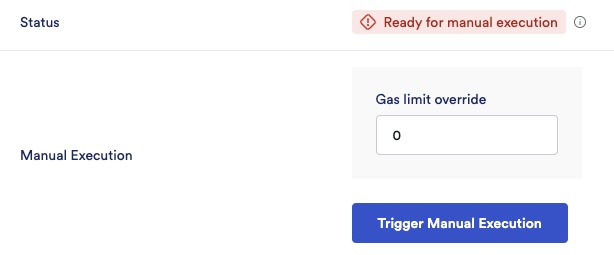
The explorer fetches the execution inputs and submits the OffRamp transaction. If the previous attempt failed because the receiver callback did not have enough gas, enter a higher callback gas limit for the retry.
CCIP SDK
The TypeScript SDK can execute by message ID. It fetches execution inputs from the CCIP API and submits the destination-chain transaction.
import { EVMChain } from "@chainlink/ccip-sdk"

const dest = await EVMChain.fromUrl("https://api.avax-test.network/ext/bc/C/rpc")

const execution = await dest.execute({
  messageId: "0x1234...abcd",
  wallet: destWallet,
  gasLimit: 500_000,
})

console.log("Execution tx:", execution.log.transactionHash)
If gasLimit is omitted, the SDK estimates receiver execution and sends an override only when the estimate is higher than the message's original ccipReceiveGasLimit. To keep the original callback gas limit explicitly, pass gasLimit: 0.
Operating without the CCIP API (apiClient: null) is not supported for v2 messages that still need CCV attestations. The attestations live offchain and cannot be reconstructed from source-chain logs alone.
CCIP CLI
The CLI manual-exec command wraps the same flow. Its positional argument accepts either a source transaction hash or a CCIP message ID, so you can start from whichever you have.
By message ID, with the API enabled (the default), only a destination RPC is required because the CCIP API supplies the execution inputs:
ccip-cli manual-exec 0xMessageId \
  --rpc https://api.avax-test.network/ext/bc/C/rpc \
  --wallet foundry:$FOUNDRY_KEYSTORE_NAME
By source transaction hash, provide both the source and destination RPCs so the CLI can locate the transaction, decode the CCIPMessageSent logs, and derive the message ID before executing on the destination chain:
ccip-cli manual-exec 0xSourceTxHash \
  --rpc https://ethereum-sepolia-rpc.publicnode.com \
  --rpc https://api.avax-test.network/ext/bc/C/rpc \
  --wallet foundry:$FOUNDRY_KEYSTORE_NAME
When the input is a 32-byte hex string, the CLI races both resolution paths concurrently and uses whichever resolves first, so you do not have to declare which form you are passing. Use --no-api to force transaction-hash resolution via RPCs only.
To override the receiver callback gas limit for the retry:
ccip-cli manual-exec 0xMessageId \
  --rpc https://api.avax-test.network/ext/bc/C/rpc \
  --wallet foundry:$FOUNDRY_KEYSTORE_NAME \
  --gas-limit 500000
Useful flags:
--gas-limit 0keeps the original receiver callback gas limit.--tx-gas-limitraises the outer transaction gas limit.--only-estimate --estimate-gas-limit <margin%>estimates receiver gas without submitting a transaction. This requires a source RPC and conflicts with--gas-limit.--log-indexselects a specific CCIP message when one source transaction emitted multiple messages.--indexeradds CCIP v2 Indexer base URLs for verifier data.
Use a Foundry keystore, Hardhat keystore, or hardware wallet when possible. Passing a private key directly is supported by the tool but is not recommended.
Direct Contract Call
If you are not using the SDK or CLI, call the CCIP API /execution-inputs endpoint, add any missing verifier data, verify the message hash, then call OffRamp.execute on the destination chain.
This path is useful for non-TypeScript tooling or custom execution systems. The caller is responsible for ordering the arrays correctly and funding the destination-chain transaction.
Diagnose Common Failures
Use this table as a first pass when an execution attempt does not reach SUCCESS.
| Symptom | Likely cause | Action |
|---|---|---|
Message stays UNTOUCHED | No executor, missing Indexer data, expired retry window | Fetch all required execution inputs and call execute. |
RequiredCCVMissing | Submitted CCV list is incomplete | Call getCCVsForMessage(encodedMessage) and include each required CCV. |
TokenHandlingError | Pool reverted, token is unregistered, or rate limit applies | Fix the token or pool condition, then retry. Raising gasLimitOverride will not help. |
ReceiverError with empty revert data | Receiver likely ran out of gas | Retry with a higher receiver callback gas limit. |
ReceiverError with non-empty revert data | Receiver reverted with its own error | Decode the selector and fix the receiver condition. |
NotEnoughGasForCall or InsufficientGasForStaticCall | Outer transaction gas is too low | Raise the transaction gas limit, not the callback gas override. |
NoStateProgressMade | Retry from FAILURE failed again with no state progress | Decode the nested error and fix the underlying issue before retrying. |
After every execution attempt, re-read getExecutionState(messageId). A transaction receipt with status 1 can still record FAILURE inside the OffRamp. The API and CLI show the final state only; to see an earlier failure followed by a later success, inspect ExecutionStateChanged events on the destination OffRamp.
Error Reference
The OffRamp and its dependencies can surface the following errors during manual execution. Phase A errors revert the caller's transaction and leave the message unchanged. Phase B errors are caught by the OffRamp and recorded as FAILURE. Phase C applies when retrying from FAILURE.
Phase A: Transaction Reverts
| Error | Selector | Meaning |
|---|---|---|
ReentrancyGuardReentrantCall() | 0x3ee5aeb5 | execute was called from inside ccipReceive or a pool callback. |
InvalidEncodingVersion(uint8) | 0x789d3263 | The encoded message uses an unsupported codec version. |
InvalidDataLength(uint8) | 0xb4205b42 | The encoded message is truncated. |
CursedByRMN(uint64) | 0xfdbd6a72 | RMN curse is active. Retry after the curse is lifted. |
SourceChainNotEnabled(uint64) | 0xed053c59 | The source chain is disabled on this OffRamp. |
InvalidOnRamp(bytes) | 0xa50bd147 | The source OnRamp is not allowlisted. |
InvalidOffRamp(address,bytes) | 0x55216e31 | The message is addressed to a different OffRamp. |
InvalidMessageDestChainSelector(uint64) | 0x38432a22 | The message is addressed to a different destination chain. |
InvalidVerifierResultsLength(uint256,uint256) | 0x88f80aa2 | ccvs.length and verifierResults.length differ. |
InvalidEVMAddress(bytes) | 0x8d666f60 | A receiver or destination token field is not a 20-byte EVM address. |
InvalidGasLimitOverride(uint32,uint32) | 0xdf2964df | The override is lower than the message's original ccipReceiveGasLimit. |
SkippedAlreadyExecutedMessage(bytes32,uint64,uint64) | 0x5e570e51 | The message is already SUCCESS or IN_PROGRESS. |
InsufficientGasToCompleteTx(bytes4) | 0x2882569d | The transaction does not provide enough gas for the OffRamp to complete state updates. |
Phase B: Recorded as FAILURE
| Error | Selector | Meaning |
|---|---|---|
InvalidOptionalThreshold(uint8,uint256) | 0x3d9055a7 | Receiver CCV configuration is invalid. |
DuplicateCCVNotAllowed(address) | 0xa1726e40 | Receiver CCV configuration includes duplicates. |
InvalidRequestedFinality(bytes4,bytes4) | 0xdf63778f | The message requested a finality mode the receiver does not accept. |
InvalidNumberOfTokens(uint256) | 0x83d52669 | The decoded token array count is invalid for this execution path. |
RequiredCCVMissing(address) | 0x518d2ac5 | A required CCV is missing from the submitted CCV list. |
OptionalCCVQuorumNotReached(uint256,uint256) | 0x403b06ae | The receiver's optional CCV threshold was not met. |
InboundImplementationNotFound(address,bytes) | 0x2665cea2 | The CCV resolver could not map the verifier result to an inbound implementation. Check the version tag. |
NotACompatiblePool(address) | 0xae9b4ce9 | The token is not registered or its pool does not implement a compatible interface. |
TokenHandlingError(address,bytes) | 0x9fe2f95a | Token handling reverted. The error names the token. |
NotEnoughGasForCall() | 0x37c3be29 | The receiver call failed the EIP-150 63/64 gas check. Raise outer transaction gas. |
InsufficientGasForStaticCall() | 0xea7f4b12 | An ERC-165 interface probe on the token path did not have enough gas. Raise outer transaction gas. |
ReceiverError(bytes) | 0x0a8d6e8c | The receiver callback reverted. Decode the inner bytes when present. |
Phase C: Retry From FAILURE
| Error | Selector | Meaning |
|---|---|---|
NoStateProgressMade(bytes32,bytes) | 0x10afb5b6 | A retry from FAILURE failed again. The nested err contains the underlying execution error. |
Frequently Asked Questions
Can anyone manually execute a CCIP message?
Yes. The executing account does not need to be the original sender or receiver. It only needs the encoded message, the required CCV attestations, and enough native gas token to pay for the destination-chain transaction.
Does one failed message block later messages from the same sender?
No. execute does not enforce sender ordering. Each message is tracked by its own message ID and execution state.
Can a manual execution use more gas than the source-chain gas limit cap?
Yes, for that destination-chain retry. Source-side gas caps apply to fee quotation and send-time validation, not to a later manual execution. The destination chain and RPC provider must still accept the transaction gas limit.
What if the token pool needs more gas than the configured token overhead?
The configured token overhead, such as FeeQuoter.destChainConfig.defaultTokenDestGasOverhead, is used for billing and executor gas estimation. It is not an OffRamp-enforced gas limit. If token handling consistently exceeds the configured budget, optimize the token and pool contracts or contact Chainlink Labs to review the owner-managed configuration.
Will Chainlink Labs reimburse manual execution gas?
No. Manual execution gas is paid by the account that submits the destination-chain transaction.
Do I have to use CCIP Explorer?
No. You can use CCIP Explorer, the CCIP SDK, the CCIP CLI, or direct calls to the CCIP API and OffRamp.execute.
How do I tell gas issues from receiver logic errors?
Empty 0x receiver error data often indicates out-of-gas. Non-empty revert data usually points to a receiver-defined error. Use a transaction trace to confirm, then either raise the receiver callback gas limit or fix the receiver condition.
How can I avoid manual execution?
- Estimate receiver gas before sending.
- Set gas limits for the most expensive expected path, not only the simplest path.
- Keep receiver logic bounded and defensive.
- Test token pool configuration, rate limits, and receiver behavior before production use.
For a worked example, see the Defensive example.
What if Explorer does not show a manual execution button?
You can still execute directly with the SDK, CLI, or OffRamp.execute if the message has the required attestations and is in an executable state. If you believe the explorer state is incorrect, submit a support ticket with the CCIP message ID.